
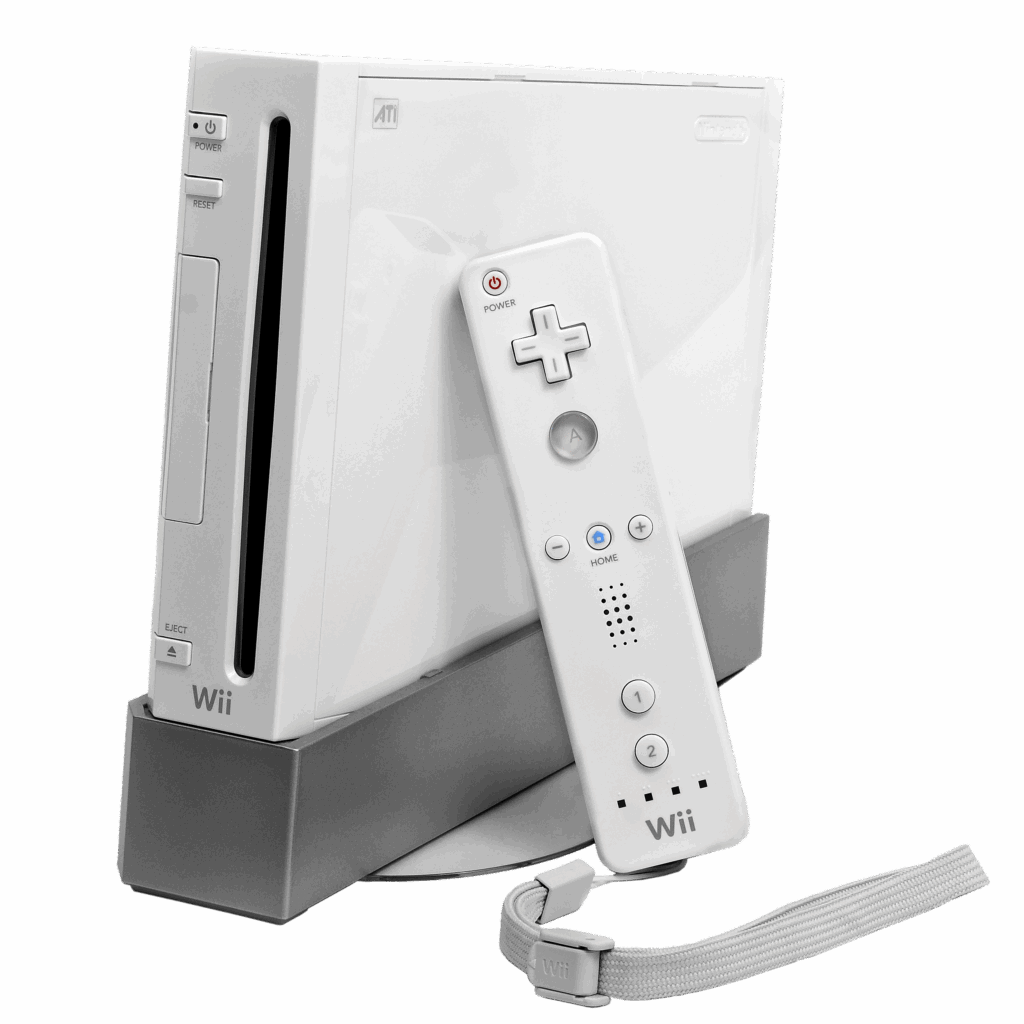
Nintendo Wii
1️⃣ Console Setup (3 steps)
• Power & TV — Plug in AC adapter. Connect AV (red/white/yellow) to TV & Wii (or HDMI adapter if included).
Select the correct TV input.
• Sensor Bar — Plug into the back of the Wii; place centered above/below your TV (not behind glass).
• Remote Sync — Press red SYNC on the console (front flap), then red SYNC on the remote (battery cover). Wait
for Player■1 light to stay on.
• Insert Disc — If the wii is standing vertically label side of game disc faces right. If wii is laying flat label side of game disc is facing up.
2️⃣ Accessories Setup
• Remotes & Nunchuks — Charge batteries/dock. SYNC: console red SYNC → remote red SYNC. Plug Nunchuk
into remote base.
• Video — AV: match red/white/yellow to TV; select the matching input. HDMI adapter: Wii → adapter → TV HDMI
input.
• Sensor Bar — Plug into Wii; face toward players; avoid direct sunlight on the bar.
• Charging Dock — Ensure contacts touch; LEDs indicate charging; first charge may take several hours.
3️⃣ Fast Fixes
• No video — select the correct TV input; reseat AV/HDMI; try a different port.
• Remote won’t connect — repeat SYNC; replace/charge batteries; stand 3–10 ft from sensor bar.
• Disc not reading — clean disc; try a second disc; reinsert firmly.