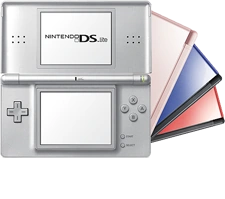
Nintendo DS Lite
1️⃣ Console Setup (3 steps)
• Charge — plug in AC adapter until LED shows charging.
• Power — press Power to boot.
• Game test — insert a DS game and start it.
2️⃣ Accessories Setup
• Brightness — adjust with Volume/Brightness combo.
• Stylus — verify stylus is seated and the touchscreen responds.
• Time/Date — set in System Settings.